Building Directory
Create an interactive building directory for touch screen kiosks in building lobbies
Guide
Building Directory
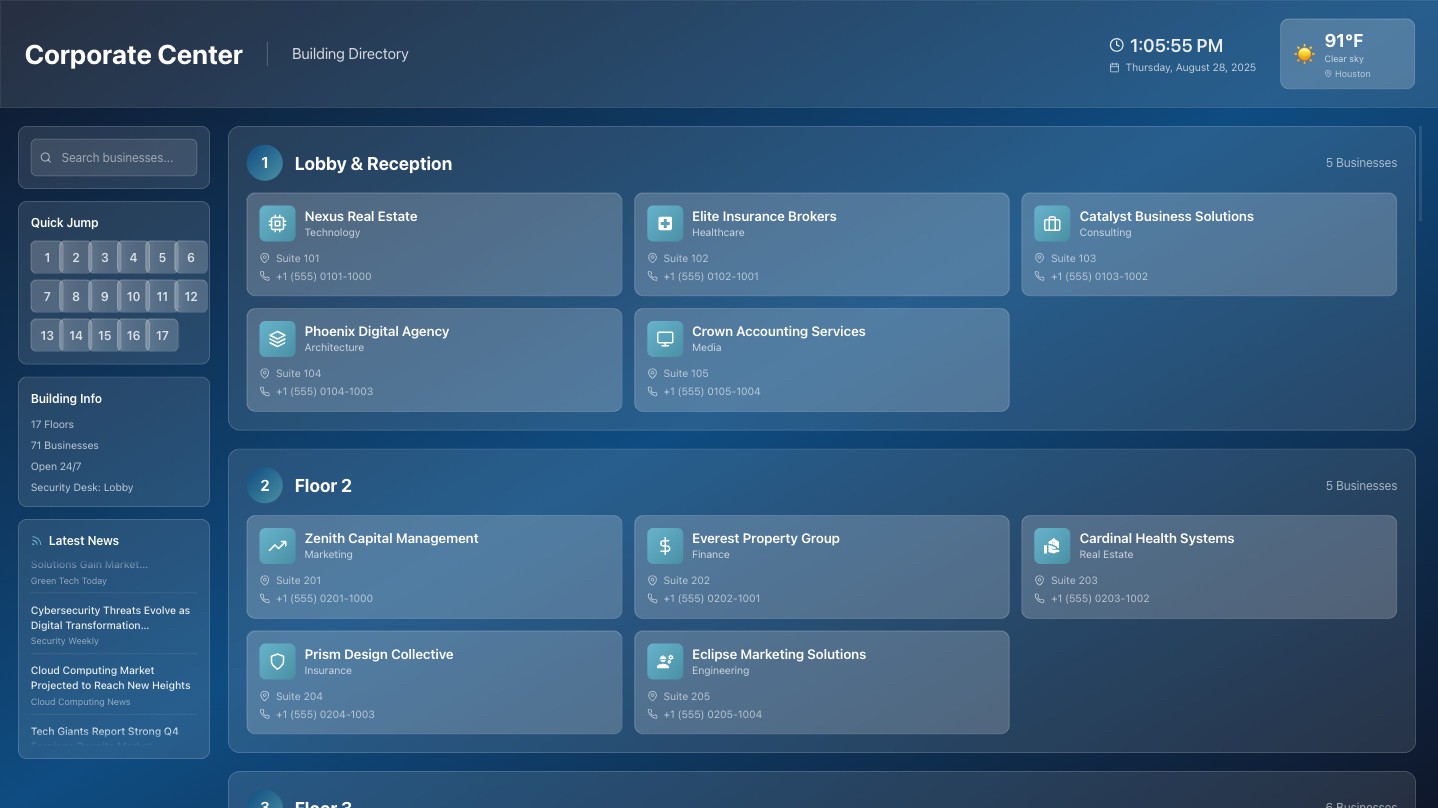
Build an interactive building directory for touch screen kiosks in building lobbies, with weather and news feeds.
How to use this prompt
Add your tenant data - Attach Excel/CSV or URL to your current website with business names, floors, suite numbers
Update building info - Change floor count and building details
Add your images - Link to your own building photos
TIP: Add @ before URLs to ensure the agent reads the images.
"I'm a Marketing Coordinator for Mercedes dealer in North Houston. I need to create a kiosk page to be put on our touchscreen kiosk in dealer floor this week, we will highlight our E 450 4MATIC model and its promotions. The app should be optimized for kiosk, tablet displays."
Final Prompt
### Purpose I'm a manager for an office building in Houston with 17 floors. I want to create a modern, interactive building directory application designed for touch screen kiosks in building lobbies, optimized for digital signage displays. ### Requirements Use these sample screenshots as reference for your design: @https://optidev-public-cdn-dev.nyc3.cdn.digitaloceanspaces.com/templates-assets/building-template-2-thumbnail.jpg @https://optidev-public-cdn-dev.nyc3.cdn.digitaloceanspaces.com/templates-assets/building-template-3-thumbnail.jpg @https://optidev-public-cdn-dev.nyc3.cdn.digitaloceanspaces.com/templates-assets/building-directory/building-directory-4.jpg For our app we need: Main building/business info area: - Building 17 floors, few businesses each floor - Main display building area is scrollable - Tap on 1 business to go into a page for that business Home You can use my building image here: @https://optidev-public-cdn-dev.nyc3.cdn.digitaloceanspaces.com/templates-assets/building-directory/building-hero-1.jpg Useful info to show: - Date Time - Weather use GeoJS -> Open-Meteo // 1) Get approximate location from IP (no key, HTTPS) const ipGeo = await fetch('https://get.geojs.io/v1/ip/geo.json').then(r => r.json()); const { latitude: lat, longitude: lon, city, country } = ipGeo; // 2) Fetch current weather from Open-Meteo using lat/lon const weatherUrl = `https://api.open-meteo.com/v1/forecast?latitude=${lat}&longitude=${lon}¤t_weather=true`; const wx = await fetch(weatherUrl).then(r => r.json()); // 3) Render (replace with your signage UI) const el = document.getElementById('wx'); el.textContent = `${city || ''} ${country || ''} — ${wx.current_weather.temperature}°C, wind ${wx.current_weather.windspeed} km/h`; - News use Business news from https://news.google.com/rss/search?q=technology&hl=en-US&gl=US&ceid=US:en